To subscribe to a mutual fund, please follow the steps below:
Step-by-Step Guide
Login to Your Account
- Open the CSAlpha mobile app on your device.
- Enter your username and password.
- Click on the "Login" button.
Select Mutual Funds
- Once logged in, navigate to the main dashboard.
- Click on the "Mutual Funds" option.
Choose Your Fund
- From the list of available funds, select the fund you wish to invest in. For example, select "Equity Fund."
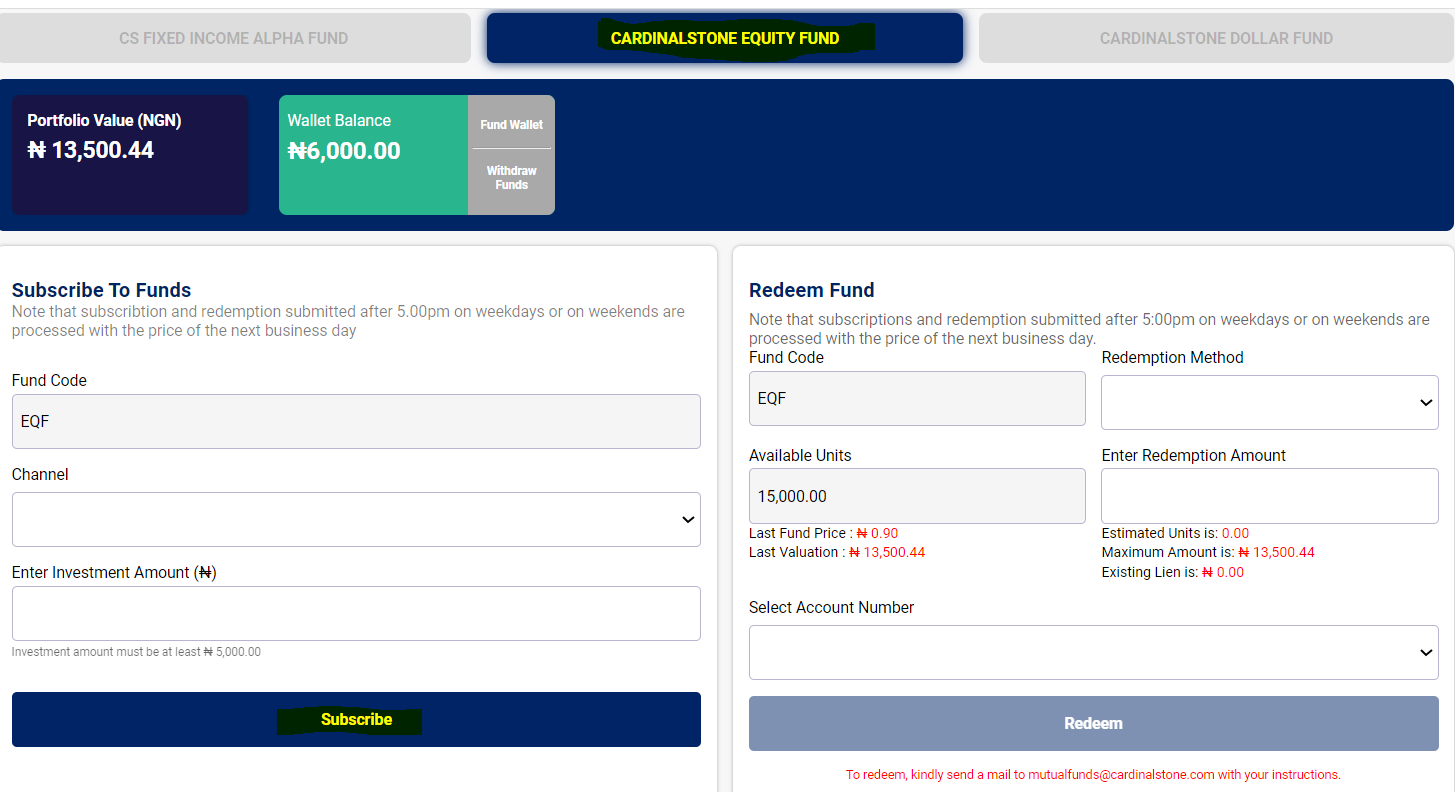
4. Enter Subscription Details
- Locate the "Subscribe" widget below your portfolio and wallet balance information.
- Enter the details of your subscription, ensuring that the subscription amount is not less than N5,000.
5. Complete Subscription
- Click on the "Subscribe" button.
- An OTP (One-Time Password) code will be sent to your registered email address.
- Enter the OTP code in the provided field.
- Proceed to complete your subscription by following the on-screen instructions.
Additional Information
- Ensure your subscription amount meets the minimum requirement of N5,000.
- If you do not receive the OTP code, please check your email's spam/junk folder or request a new OTP.
- For any issues or further assistance, contact our support team.
Thank you for choosing CSAlpha for your investment needs. We are here to help you achieve your financial goals.
If you need further assistance, please do not hesitate to reach out to our customer support.
Was this article helpful?
That’s Great!
Thank you for your feedback
Sorry! We couldn't be helpful
Thank you for your feedback
Feedback sent
We appreciate your effort and will try to fix the article